Listen

Comments

APistol Mar 9, 2010
on Biggie's anniversary (RIP) im listening to some rare remixes....Big ups WeFunk!
yeppzta Feb 11, 2010
Two weeks ago I heard WEFUNK for the 1st time and it blows me away - now I'm a WEFUNK addict. Big Up guys & Greetz from Dresden (Germany)
Flipping Hip Jan 9, 2010
Great SHOWS 'n Mixes. In Germany we've got nothin' like this. Keep on, greetz from Munich
Jason Nov 18, 2009
Works on the Palm Pre. I carry the funk where ever i go now. Dope
DirtyJers Oct 18, 2009
WeFunk Saved my life... J'Adore Montreal
Professor Groove Oct 10, 2009
@adriano: You can click on our PSP information link to get the RSS url.
MartyMall007 Oct 5, 2009
LOVE YALL! keep on FUNKING!
adriano Aug 27, 2009
Please, use RSS for the new shows episode!!
Reggie Aug 27, 2009
It works very good on my Palm Pre. No need for any apps it streams through the native MP3 player.
Bruce Aug 20, 2009
is there an rss feed for the show archive? - I'd like to set it up w/ boxee
jimi Jul 28, 2009
the ps3 is not compatible with the flash player. Don't know why. Anyway, i'm not sure playing a radio on a ps3 is even possible (at least, on xmb, the default os)
Professor Groove May 12, 2009
Update: We have fixed the RSS feed for the PSP.
Gm From My Cheap Tech Mar 14, 2009
Regarding mobile phones: I have a T-Mobile G1 phone and use an Android called Stream furious, in fact that's how I found out about u guys, -very glad that I did :)
Yanik Mar 13, 2009
doesn't work on PS3, says not supported.
arkizzle Mar 4, 2009
FStream!! YAY! I got live-stream WeFunk!!
jneedz Mar 2, 2009
you play the best music ever... since years! rock on djs
Bruce Feb 12, 2009
9 times out of 10 can't get the FStream connection to work on my iPhone 3G. other stations work fine. frustrating--cuz i really want to listen to wefunk!
arkizzle Jan 19, 2009
no streams on my ipod touch.. archive shows work fine, but live streaming fails on all formats.
Can someone whip up an iphone app for wefunk? There are so many dedicated radio station apps, hopefully it'd be easy enough to pop one open and change the url..
I'd love you forever :)

PhillyPHIL Jan 14, 2009
NO LOVE FOR THE BLACKBERRY STORM??
Hey 07_07 Jan 12, 2009
I've been trying all day to listen on my PS3 and had no luck, can anyone help? Just says app not supported.
DJ BOSKO Jan 9, 2009
j'adore ce set
thank you for this good sounds...

djsg Jan 1, 2009
no love on my ps3 says app not supported
Tim Dec 30, 2008
Works like a charm on my iPhone. Keep the tunes coming. Thanks!
Kizzee Oct 21, 2008
Tried and tried and tried. Can't get the wefunk on my mobile Nokia N96! :-(
fyllda Oct 4, 2008
on my ipod touch wefunk works great, thank you very much for this opportunity.

WEFUNK Anywhere!

You can listen to WEFUNK on a bunch of mobile devices and consoles. Go ahead and try it out! We have information below to help you access WEFUNK while on the go. Please post your feedback on this page so we can improve our compatibility on various devices.

The "M" is for mobile

Check out m.wefunkradio.com to access our mobile website. It's slimmed down for fast browsing on smaller screens. Please post a comment to let us know how well it works on your phone, PDA or game console (and don't forget to mention the brand & model of your device). If you're on a device with a small screen you should click on "QUICK LINKS" on the mobile site — it's a great way to get to the audio fast. Also, see below for tips and add-on software to help get your device set up for internet audio.

If your device is set up to play MP3 streams but you can't get audio from our website, click on "QUICK LINKS" and try different streaming options.

Stream URLs

The easiest way to stream WEFUNK is usually via your device's web browser. But on some devices you may need to install a streaming program then give it a direct URL to the stream. For our radio stream use: http://wefunkradio.com/play/radio.pls. For any specific WEFUNK show use: http://wefunkradio.com/mirror/stream/###.pls (### is the show number, or you can use "current" for the latest show). Instead of "pls" you can also try extensions like m3u, asx, ram, mp3, mov and rpm (the stream is exactly the same, but some devices only recognize a particular extension).

Data transfer

Don't forget that an hour of WEFUNK audio is about 30MB of data transfer. If you're streaming via a cellular network (rather than WiFi), your plan may limit how much data you may transfer in a month.

Tips and add-on software for specific devices:

Apple iPhone & iPod Touch

"Just tried with my 1st gen iPhone in WiFi mode. Works great. Turned off WiFi and still streaming the archives just fine. Thank you WEFUNK, made my day."

"On my iPod Touch WEFUNK works great, thank you very much!"

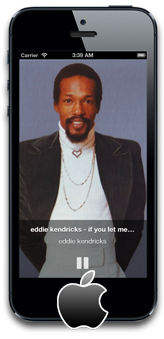
  • Our website works as-is in the iPhone and iPod Touch web browser. Choose "Listen in Player" to stream individual shows.
  • To listen to our radio stream, install our WEFUNK iPhone app.
  • Some listeners have also mentioned listening to WEFUNK via FStream (donationware) (WEFUNK is under "FavoritesPresetShoutCastFunk") or Tuner ($6).

Android Devices

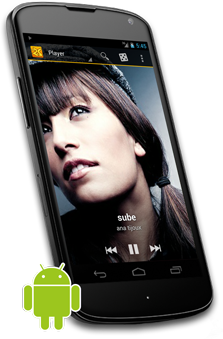
    "I have a T-Mobile G1 phone and use an Android called Stream furious, in fact that's how I found out about u guys."

  • Streaming audio software: StreamFurious (free), available in the Android Market

Symbian Mobile Devices

  • Symbian OS is common on mobile devices by Nokia, Ericsson and Motorola.
  • Streaming audio software: VirtualRadio (free w/ ads, paid version too). Phone support includes Nokia S60, Sony Ericsson, Motorola, Siemens SX1, BenQ, Arima and Sendo X. WEFUNK is listed in VirtualRadio under "Hip Hop, Rap and Urban - Wi-fi/3G".
  • Streaming audio software: Nokia S60 internet radio player

Windows Mobile Devices (aka Pocket PC, Windows CE)

Nintendo Wii

Sony PSP

"Works great on my PSP, no problems, and I can listen via the built in radio as well."

Blackberry

  • One listener was able to begin listening on his Blackberry Curve (8310) using MFRadio (see below). However, his 3G connection was not fast enough and the audio would pause frequently. If 3G doesn't allow smooth streaming for you, we recommend trying a WiFi connection.
  • Streaming audio software: MFRadio (free) — To install, go to http://mfradio.sourceforge.net/ on your Blackberry and click on the link to the latest .jar file. Once you confirm that you would like to install the application, MFRadio will appear on your main list of applications. Open MFRadio, click on the scroll wheel and select "Add". Under title write "WEFUNK" and under link type http://www.wefunkradio.com/play/radio.pls. Click "Ok" and then select the "WEFUNK" link you just created and choose "Play".
  • Streaming audio software: Radio Bee (free)
  • Streaming audio software: mediaPlayer ($20)
  • Streaming audio software: xPlayer (free) (not sure if it supports radio streams)

Palm Devices

"It works on my Palm Treo 755p. I can listen to the shows. Thanks!"

  • Palm OS models include devices by Palm (Palm, Treo, Tungsten), Samsung smartphones, Sony Clie (until '05) and Handspring (Treo, Visor)
  • Streaming audio software: Core Media Player (free)
  • Streaming audio software: Pocket Tunes Deluxe ($35, 15 day free trial) The "Deluxe" version is necessary for internet radio capability. Works on most Palm devices including Treo.

More Links: Mobile Streaming Guides, etc.

  • WFMU has a great Mobile Streaming FAQ for their station, which WEFUNK listeners may also find helpful.